Selected Frame Overview

Project Overview
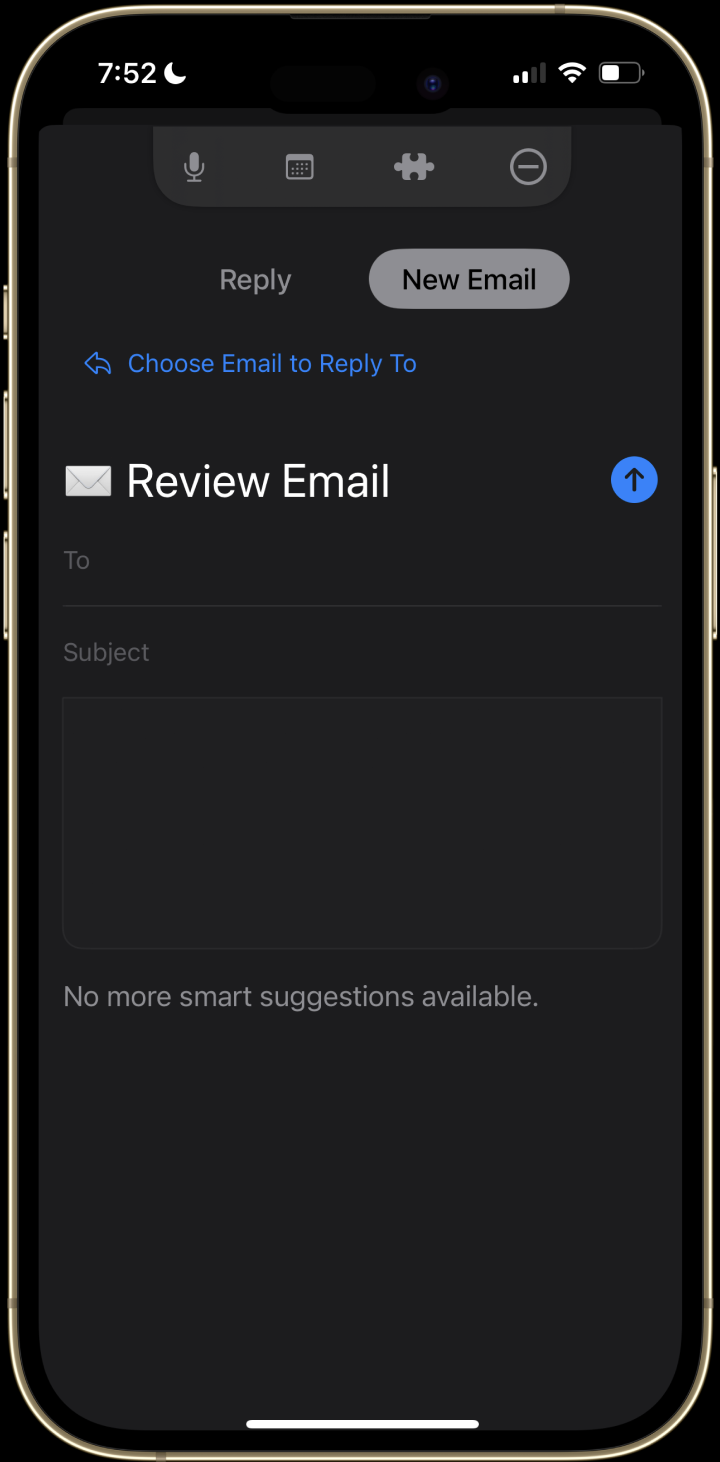
Tascanade's email feature that auto-attaches your email as a reply or creates a new draft from your voice command. The core features include event matching that RSVPs an existing/new event for you on Google Calendar in your draft.
Find mutual available times between both you and multiple people to request in email draft or create a new event. Say "send now" or "send it," and you can confirm in the pop-up.
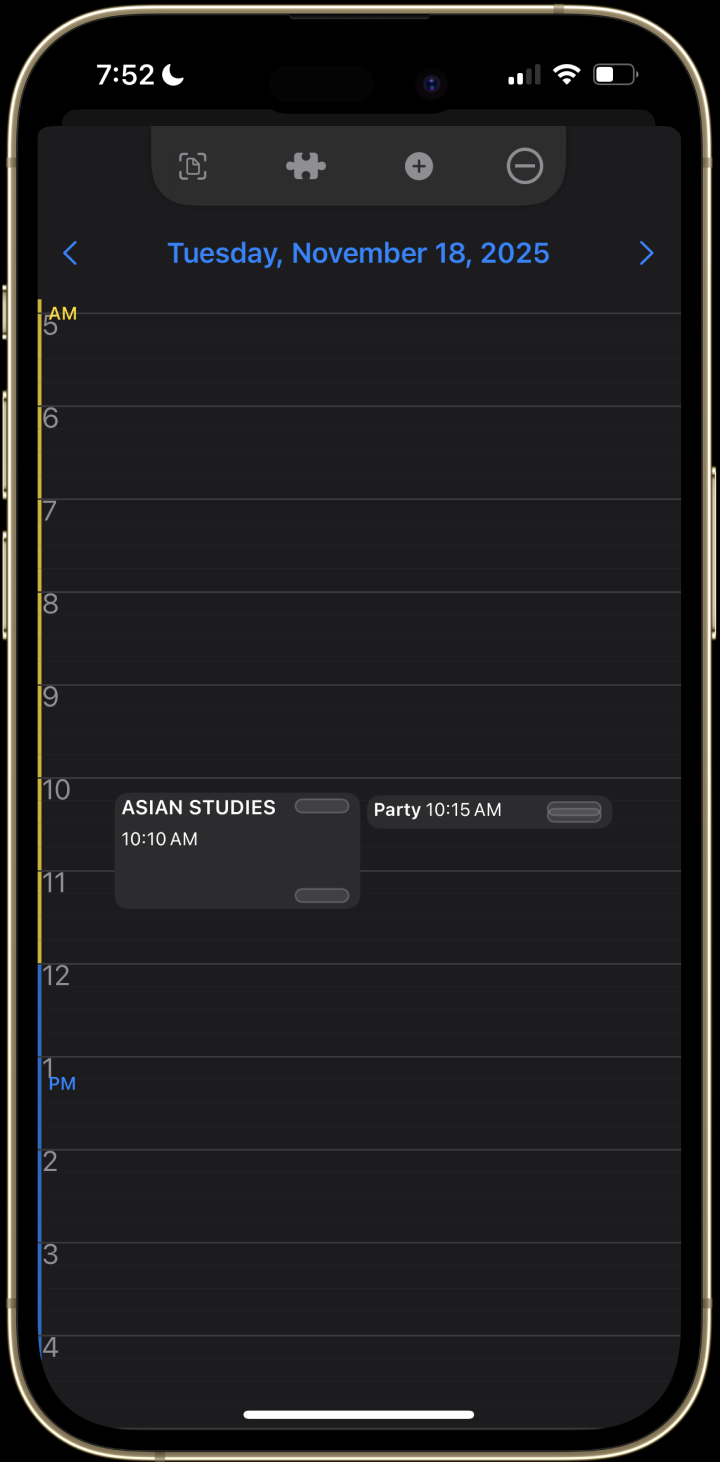
Tascanade allows you to scan any messy note about an event or schedule, and it auto-creates an event on your Google Calendar. It includes event-sharing where it computes available times across multiple users to create an event — instead of just your availability.
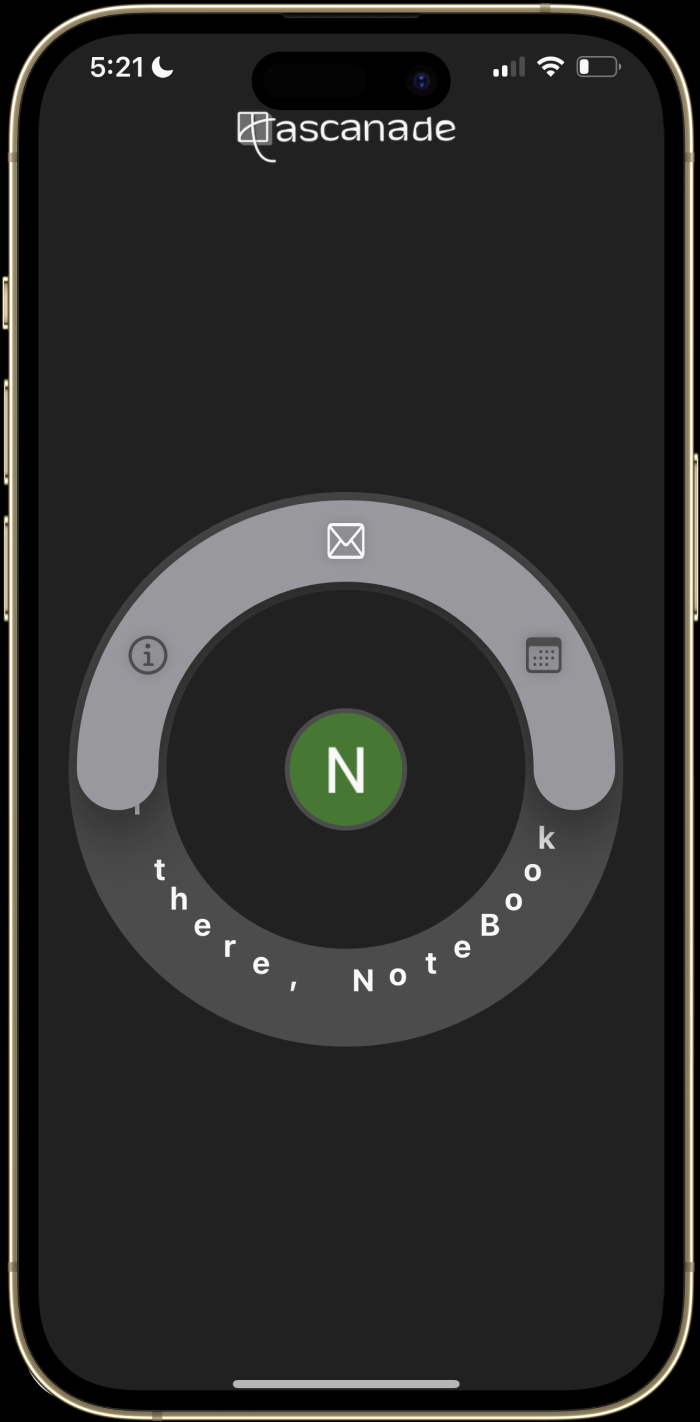
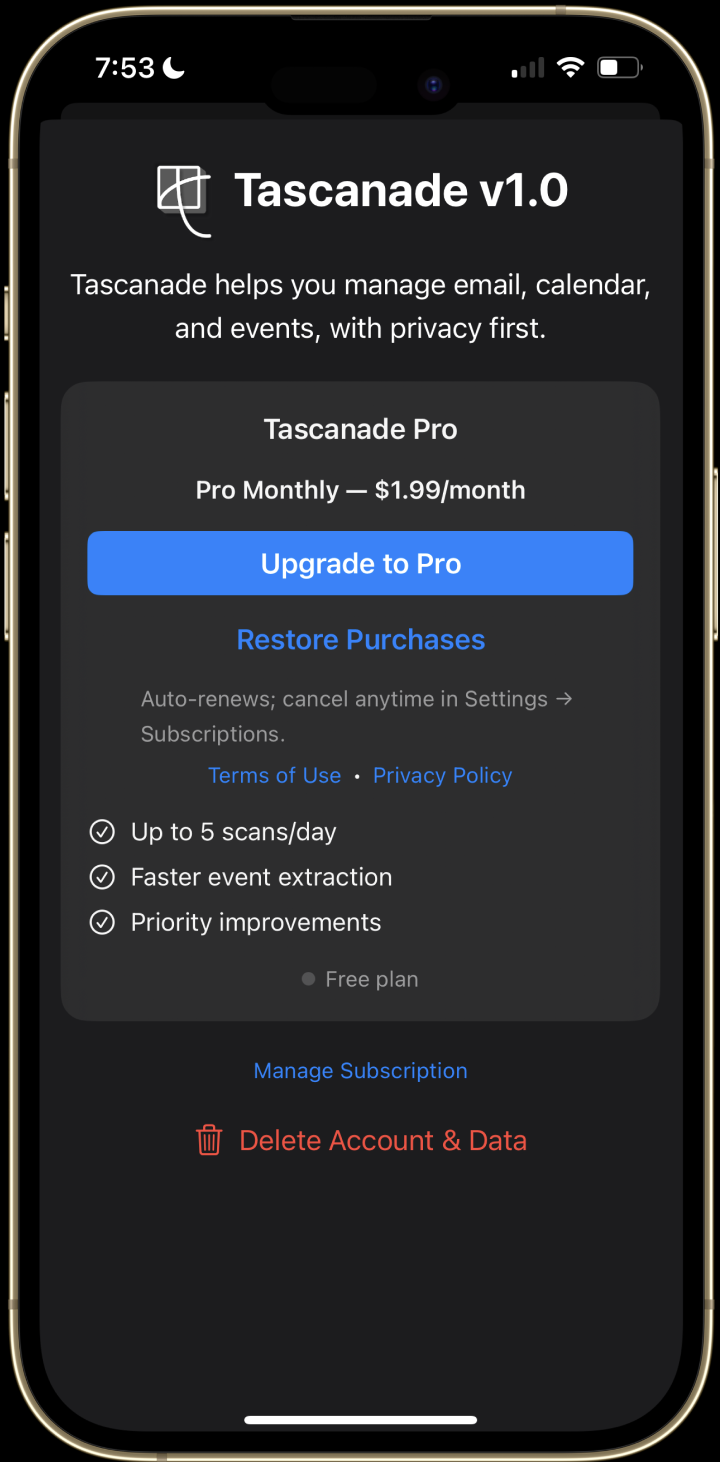
I designed and developed Tascanade, an all-in-one smart calendar and email assistant with a unique workflow. Launched on the App Store in Nov 2025 (beta since Aug 2025 via TestFlight); YC Nov 2025 applicant, top 10% of the pool. Hover on any frame for detailed insight into each page.

Selected Frame Overview
Project Overview
I designed and developed Tascanade, an all-in-one smart calendar and email assistant with a unique workflow. Launched on the App Store in Nov 2025 (beta since Aug 2025 via TestFlight); YC Nov 2025 applicant, top 10% of the pool. Hover on any frame for details.
Tascanade allows you to scan any messy note about an event or schedule, and it auto-creates an event on your Google Calendar. It includes event-sharing where it computes available times across multiple users to create an event — instead of just your availability.
Tascanade's email feature that auto-attaches your email as a reply or creates a new draft from your voice command. The core features include event matching that RSVPs an existing/new event for you on Google Calendar in your draft. Find mutual available times between both you and multiple people to request in email draft or create a new event. Say "send now" or "send it," and you can confirm in the pop-up.
Selected Frame Overview
Project Overview
I designed and developed Tascanade, an all-in-one smart calendar and email assistant with a unique workflow. Launched on the App Store in Nov 2025 (beta since Aug 2025 via TestFlight); YC Nov 2025 applicant, top 10% of the pool. Hover on any frame for detailed insight into each page.
Tascanade allows you to scan any messy note about an event or schedule, and it auto-creates an event on your Google Calendar. It includes event-sharing where it computes available times across multiple users to create an event — instead of just your availability.
Tascanade's email feature that auto-attaches your email as a reply or creates a new draft from your voice command. The core features include event matching that RSVPs an existing/new event for you on Google Calendar in your draft. Find mutual available times between both you and multiple people to request in email draft or create a new event. Say "send now" or "send it," and you can confirm in the pop-up.
Selected Frame Overview
Project Overview
I designed and developed Tascanade, an all-in-one smart calendar and email assistant with a unique workflow. Launched on the App Store in Nov 2025 (beta since Aug 2025 via TestFlight); YC Nov 2025 applicant, top 10% of the pool. Hover on any frame for detailed insight into each page.
Tascanade's email feature that auto-attaches your email as a reply or creates a new draft from your voice command. The core features include event matching that RSVPs an existing/new event for you on Google Calendar in your draft. Find mutual available times between both you and multiple people to request in email draft or create a new event. Say "send now" or "send it," and you can confirm in the pop-up.
Tascanade allows you to scan any messy note about an event or schedule, and it auto-creates an event on your Google Calendar. It includes event-sharing where it computes available times across multiple users to create an event — instead of just your availability.
Selected Frame Overview
Project Overview
I designed and developed Tascanade, an all-in-one smart calendar and email assistant with a unique workflow. Launched on the App Store in Nov 2025 (beta since Aug 2025 via TestFlight); YC Nov 2025 applicant, top 10% of the pool. Hover on any frame for detailed insight into each page.
Tascanade's email feature that auto-attaches your email as a reply or creates a new draft from your voice command. The core features include event matching that RSVPs an existing/new event for you on Google Calendar in your draft. Find mutual available times between both you and multiple people to request in email draft or create a new event. Say "send now" or "send it," and you can confirm in the pop-up.
Tascanade allows you to scan any messy note about an event or schedule, and it auto-creates an event on your Google Calendar. It includes event-sharing where it computes available times across multiple users to create an event — instead of just your availability.
I designed and developed Tascanade, an all-in-one smart calendar and email assistant with a unique workflow. Launched on the App Store in Nov 2025 (beta since Aug 2025 via TestFlight); YC Nov 2025 applicant, top 10% of the pool. Hover on any frame for detailed insight into each page.
Tascanade's email feature that auto-attaches your email as a reply or creates a new draft from your voice command. The core features include event matching that RSVPs an existing/new event for you on Google Calendar in your draft. Find mutual available times between both you and multiple people to request in email draft or create a new event. Say "send now" or "send it," and you can confirm in the pop-up.
Tascanade allows you to scan any messy note about an event or schedule, and it auto-creates an event on your Google Calendar. It includes event-sharing where it computes available times across multiple users to create an event — instead of just your availability.
Selected Frame Overview
Project Overview
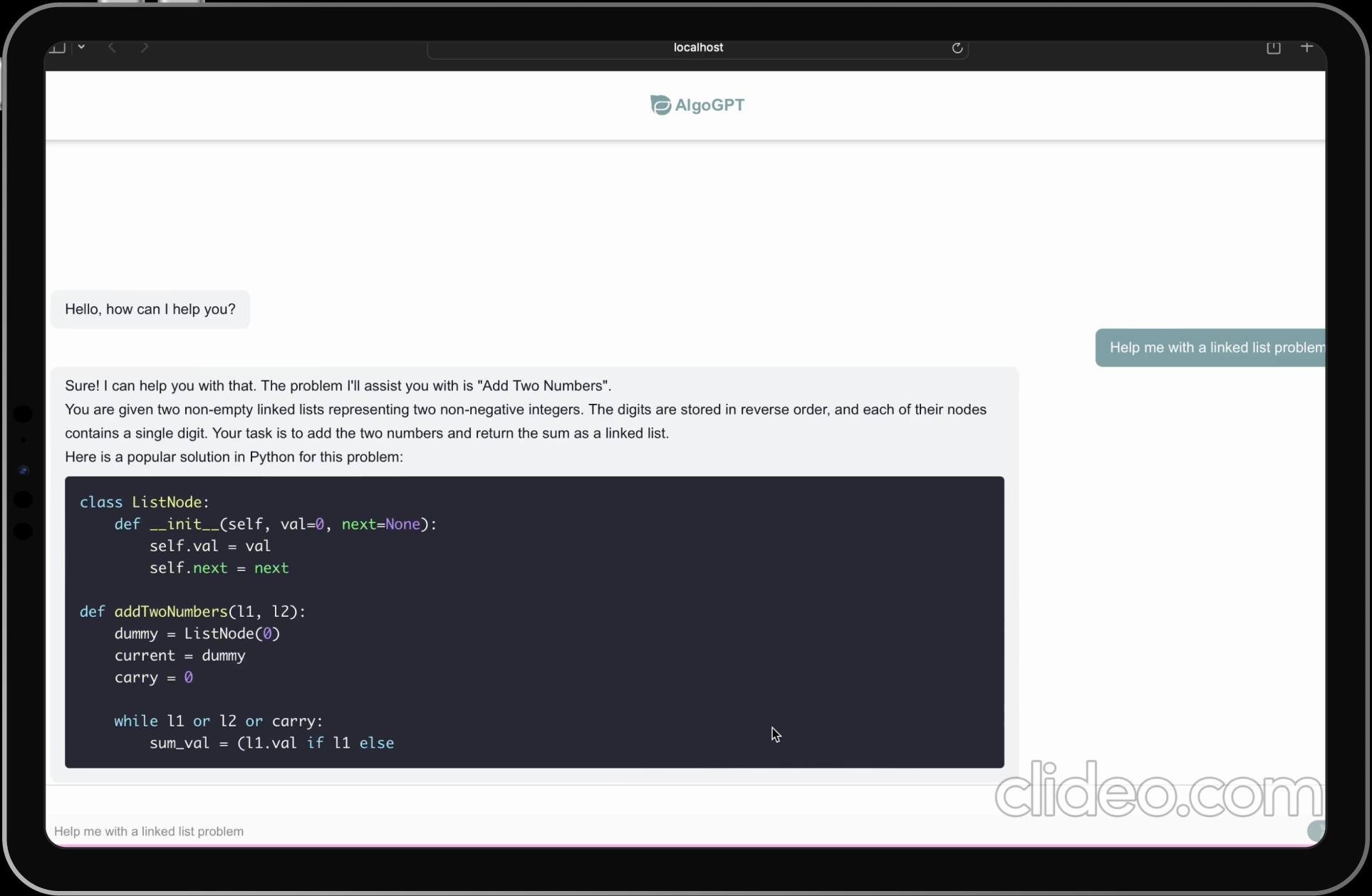
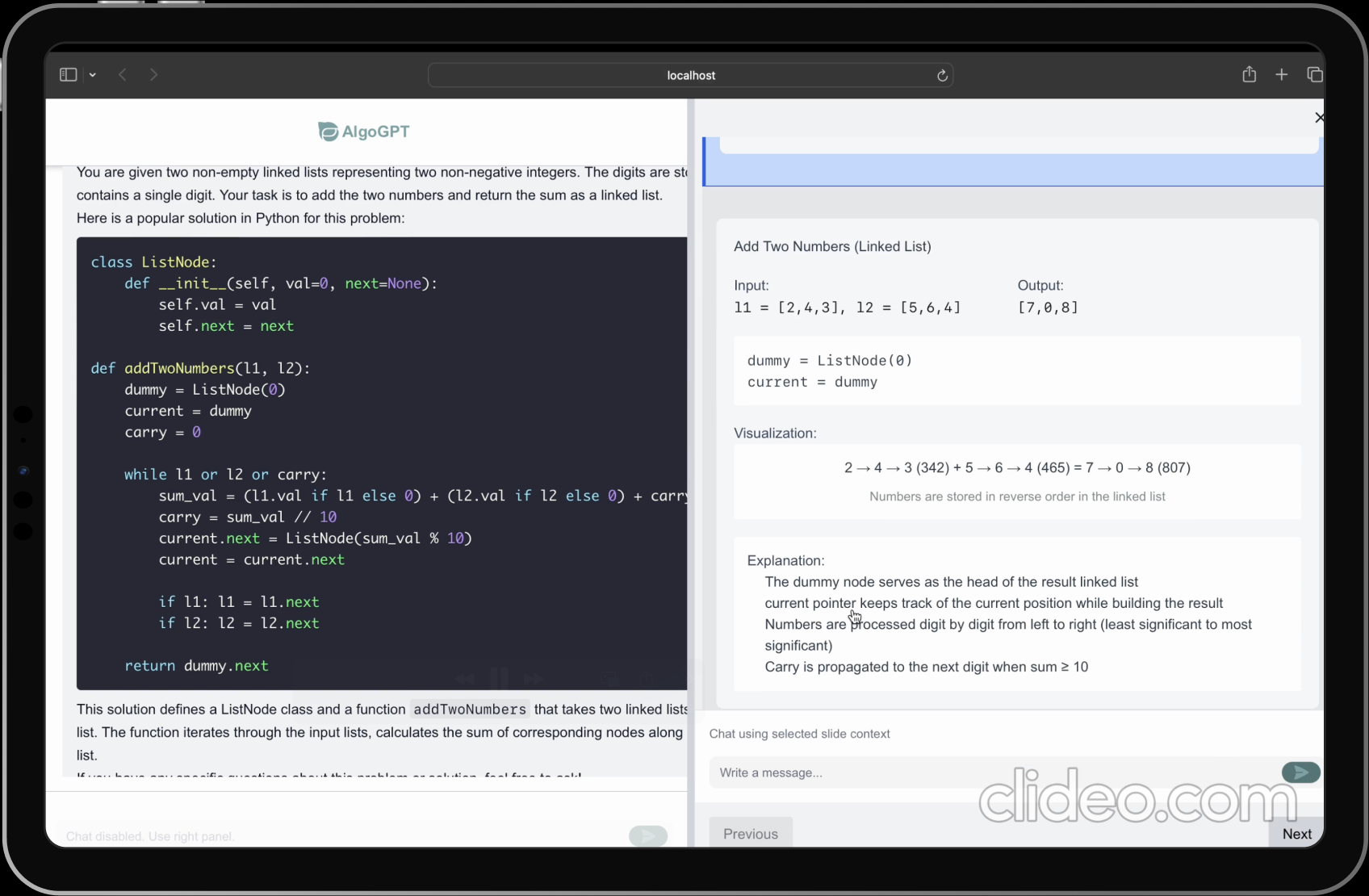
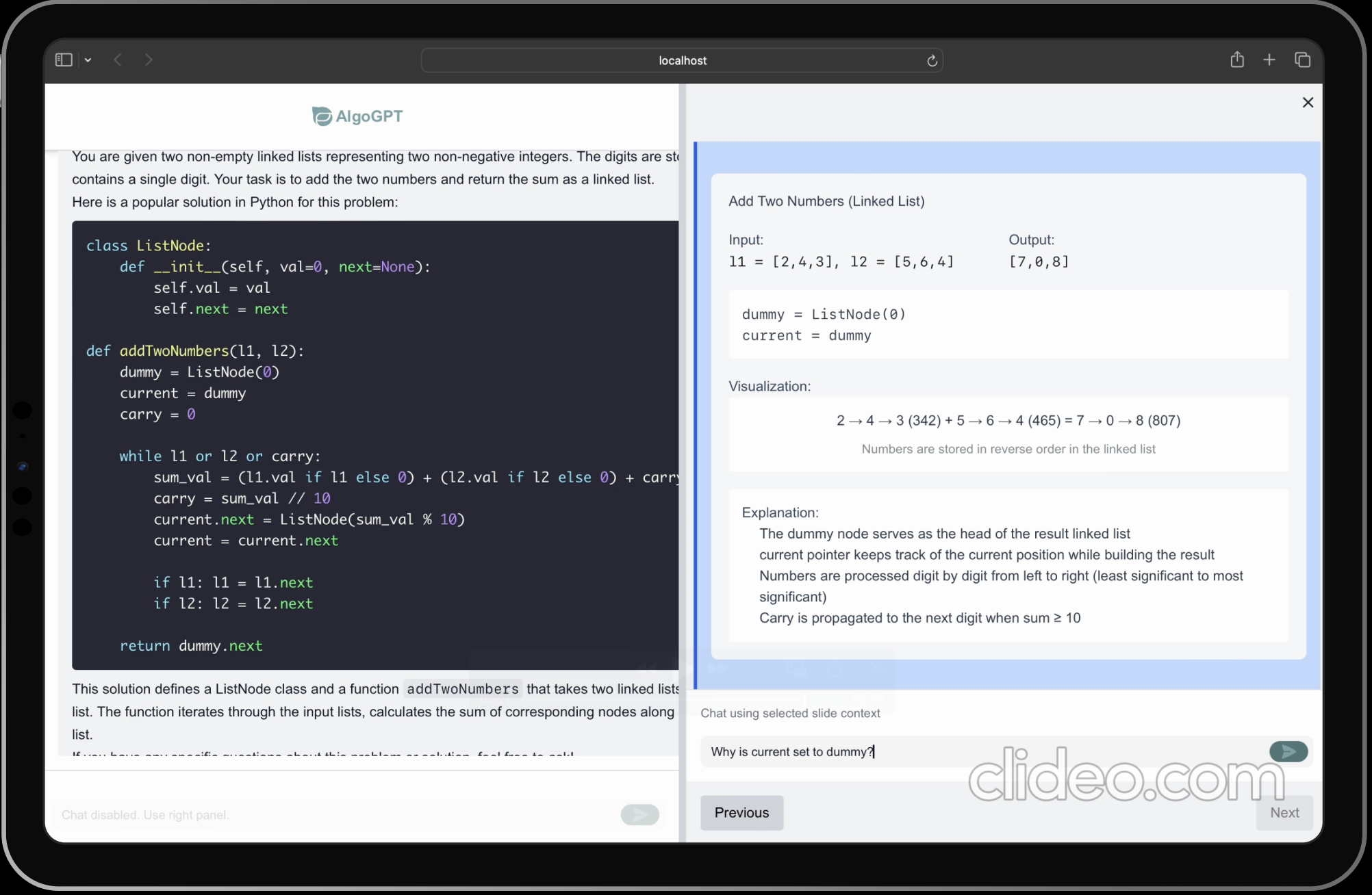
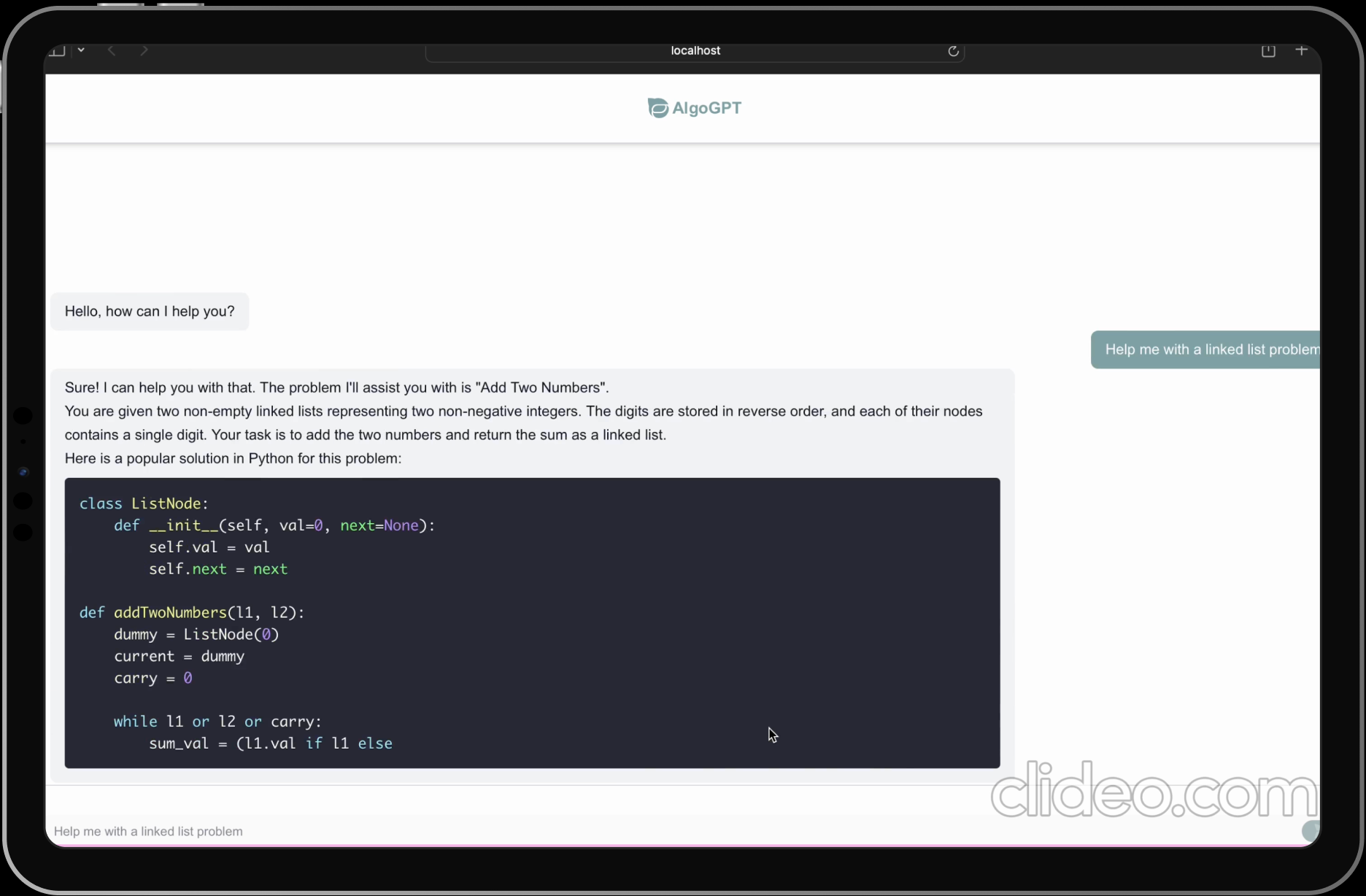
Fine tuned Chatbot designed to help users understand algorithms.
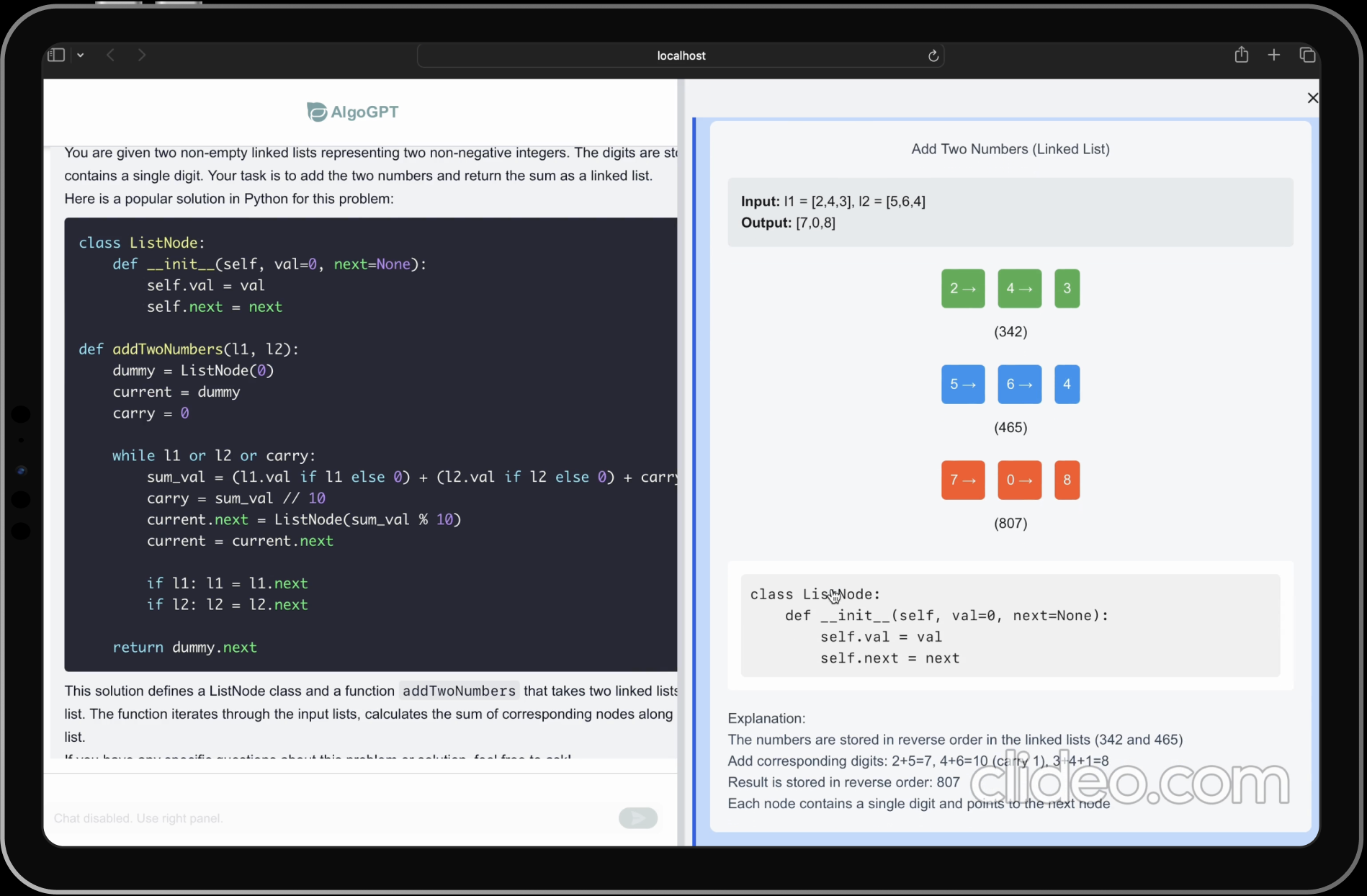
Syntax highlighting for code snippets. Step-by-step algorithm visualization
Side-by-side chat feature, giving users the flexibility to inquire about either the selected visualization or the primary chat.
Algo-GPT is a modern web application built with Next.js that provides an interactive platform for learning and practicing algorithms and data structures. The application leverages AI capabilities to help users understand complex algorithmic concepts and improve their problem-solving skills. Hover on a frame for detailed insight, or scroll → to see more.
Selected Frame Overview
Project Overview
Algo-GPT is a modern web application built with Next.js that provides an interactive platform for learning and practicing algorithms and data structures. The application leverages AI capabilities to help users understand complex algorithmic concepts and improve their problem-solving skills. Hover on a frame, or scroll → to see more.
Fine tuned Chatbot designed to help users understand algorithms.
Syntax highlighting for code snippets. Step-by-step algorithm visualization.
Side-by-side chat feature, giving users the flexibility to inquire about either the selected visualization or the primary chat.

View on GitHub
Selected Frame Overview
Project Overview
Algo-GPT is a modern web application built with Next.js that provides an interactive platform for learning and practicing algorithms and data structures. The application leverages AI capabilities to help users understand complex algorithmic concepts and improve their problem-solving skills. Hover on a frame for detailed insight, or scroll → to see more.
Fine tuned Chatbot designed to help users understand algorithms.
Syntax highlighting for code snippets. Step-by-step algorithm visualization.
Side-by-side chat feature, giving users the flexibility to inquire about either the selected visualization or the primary chat.
View on GitHub
Algo-GPT is a modern web application built with Next.js that provides an interactive platform for learning and practicing algorithms and data structures. The application leverages AI capabilities to help users understand complex algorithmic concepts and improve their problem-solving skills. Hover on a frame for detailed insight, or scroll → to see more.
Fine tuned Chatbot designed to help users understand algorithms.
Syntax highlighting for code snippets. Step-by-step algorithm visualization.
Side-by-side chat feature, giving users the flexibility to inquire about either the selected visualization or the primary chat.
Selected Frame Overview
Project Overview
Algo-GPT is a modern web application built with Next.js that provides an interactive platform for learning and practicing algorithms and data structures. The application leverages AI capabilities to help users understand complex algorithmic concepts and improve their problem-solving skills. Hover on a frame for detailed insight, or scroll → to see more.
Fine tuned Chatbot designed to help users understand algorithms.
Syntax highlighting for code snippets. Step-by-step algorithm visualization.
Side-by-side chat feature, giving users the flexibility to inquire about either the selected visualization or the primary chat.
View on Github
View on GitHub



.svg)